
Account settings and security
Your name, license number, and login are managed from Settings: click the gear icon at the top right, then Settings. This article covers the Profile, Connections, and Account tabs — for switching from CTM, see Switching from CTM eContracts; for billing, see Managing your subscription.
Updating your profile
Open Settings and stay on the Profile tab (the default). These fields populate the broker/agent contact fields on every CREC contract you fill out, so it's worth keeping them current:
- Name and display name
- Office and mobile phone numbers
- License number and MLS ID
- Office address
- Update the fields you need to change.
- Click Save Profile.
Your brokerage name and brokerage license number are shown for reference but aren't editable here — a broker or admin manages those.
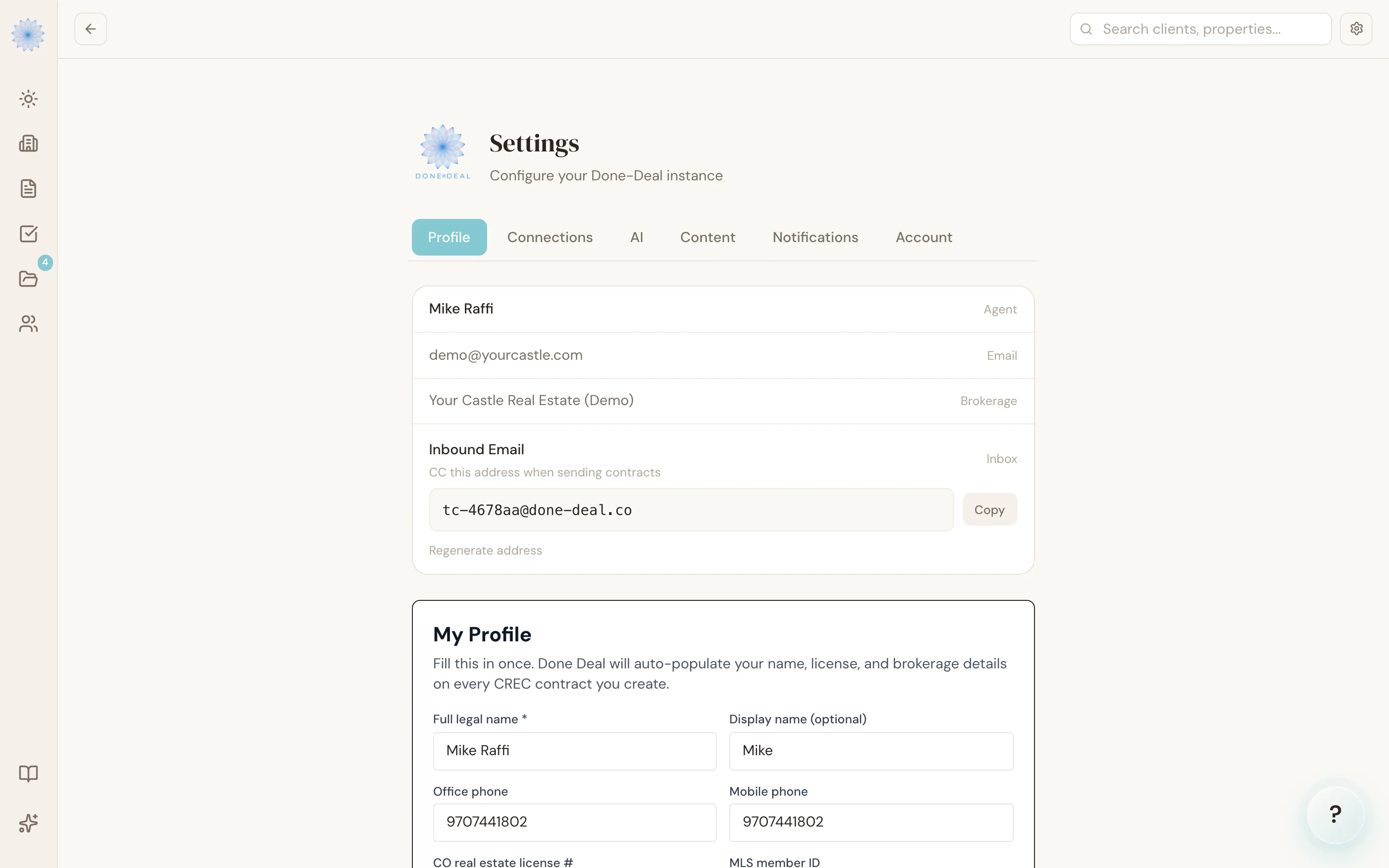
Your login email
Your login email is shown read-only at the top of the Profile tab, next to the label Email. You can't change it yourself in the app. Email support@done-deal.co and we'll change it for you.
Resetting your password
There's no change-password control inside Settings. To set a new password:
- Sign out, or go to the login page.
- Click Forgot password?.
- Enter your account email. If an account exists for that address, you'll get a reset link by email.
- Follow the link and set a new password.
Note: Done-Deal doesn't currently use two-factor authentication (2FA) for agent sign-in. The one-time codes you may see elsewhere in the app (for example, verifying a client's identity before they sign a document) are a separate feature and don't apply to your own login.
Connections
The Connections tab shows what's linked to your account: your Outlook Email (click Connect to link it), DocuSign, the MLS Bookmarklet, your deadline rules, and calendar sync. Outlook is the only email you can connect. See Connecting your email for setup steps.
Account tab
The Account tab is a read-only summary of your plan status (Forms & Contracts, and the AI TC add-on if active) and the Colorado compliance tools running on your account. To change your plan, click Upgrade here or go to Billing — see Managing your subscription.
FAQ
Can I change my email address myself?
No, it's read-only in Settings. Email support@done-deal.co and we'll change it for you.
Does Done-Deal support two-factor authentication for agents?
Not at this time. Sign-in is email and password, with password reset by email link.
I didn't get my password reset email — what now?
Check your spam folder first. If it still doesn't arrive, contact support@done-deal.co.
Who can edit my brokerage name or brokerage license number?
Only a broker or admin on your account — those fields are shown read-only on your own Profile tab.
Related articles
Still stuck?
Email support@done-deal.co and a real person will get back to you — usually the same business day.